Ocean Water Material
By Neil Blevins
Created On: Dec 16th 2024
Updated On: Mar 2nd 2026
Software: Blender

Here's a tutorial on how to create a basic ocean / lake water material.

Reference

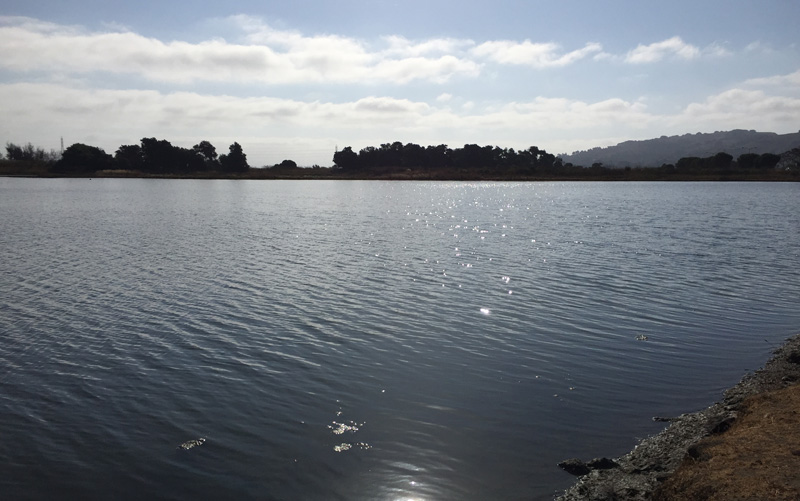
Here's a photo of an ocean / lake surface. Water at this scale reacts a little differently than water at a small scale, you can generally forget about the fact its transparent and instead deal mostly with how reflective it is.

Software Agnostic Material

The basic ingredients are as follows:

Ways to make it more realistic:
Blender Example


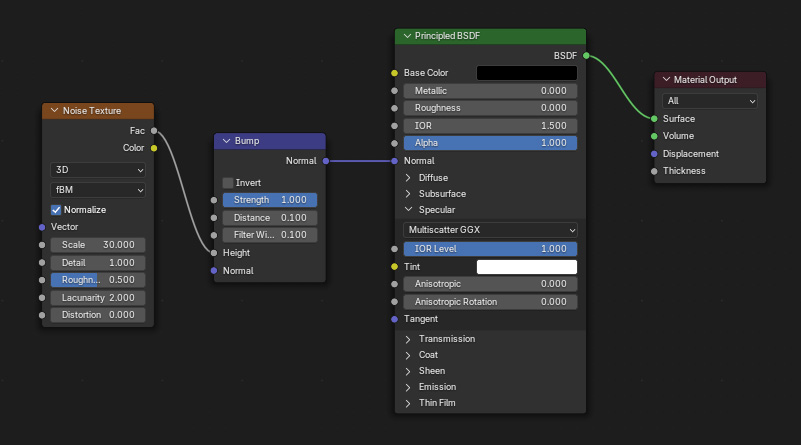
Here's the shader for Blender...


Make a Grid for your water surface.

Apply a Principiled BSDF material. Base Color Black.

IOR level 1, roughness 0 (to make it very reflective). You can also play with increasing the IOR, but 1.5 should be fine.

Add a bump node to the normal slot of the material. Add a noise texture node to the height slot of the Bump node. Adjust the noise Size, likely larger such as 30 depending on the scale of your scene. To increase the strength of the bump, adjust the bump node's distance value.

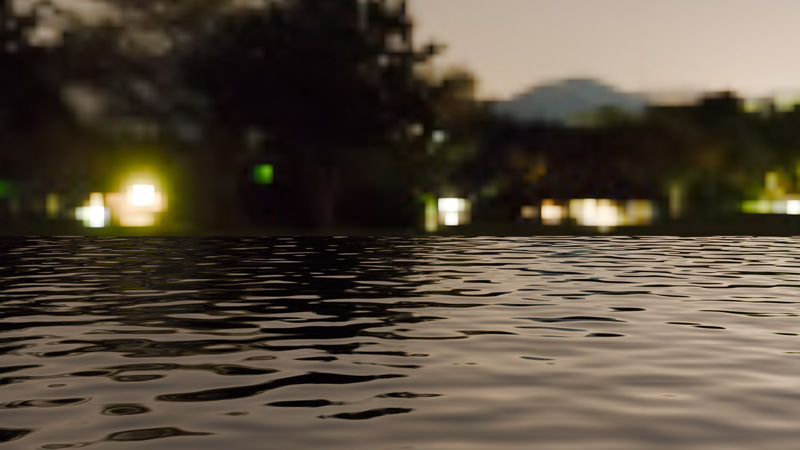
Here's the resulting render.


Here's the blend file, Blender 4.5: ocean_water blender.zip This file uses the hdri "night.exr" that ships with Blender in the datafiles directory.


This site is ©2026 by Neil Blevins, All rights are reserved.
To see hundreds of other tutorials similar to this one, visit the Neil Blevins Education Site